



Photoshop.com

Photoshop.com
License:
Free
Language:
English
Developer:
Platform:
Web apps
See detailed info

Softonic review

Elena Santos

“Free, light version of Photoshop to edit and share images”

by Elena Santos about Photoshop.com

Photoshop.com is the online version of the most popular photo editor in the world, Photoshop.

Though it’s much lighter than Adobe’s flagship app, Photoshop.com is still a great tool to edit, manage and share your photos online.

In order to use Photoshop.com, you need to have an Adobe ID, something you should already have if you’ve ever downloaded a trial version of any Adobe app. Once logged in, you need to click the Online Editor box to access the editing tools in Photoshop.com.

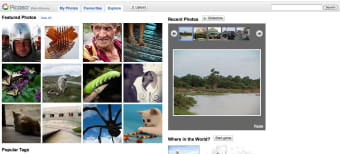
Despite its name, Photoshop.com is not just an online editor. The first thing you see when opening it is, in fact, a photo gallery. You can use this tool to create online photo albums and share them with friends and family, with up to 2 GB of free storage space. Albums in Photoshop.com can be marked as private or public, and you can also import your images from Flickr, Facebook, Photobucket and Picasa.

Regarding Photoshop.com's editing tools, like we said before, they’re not as varied or as powerful as the desktop editor. There’s no support for layers, no selection tools and no mask modes, to name a few limitations.

On the upside, you’ll find tools in Photoshop.com to resize your photo, fix exposure, correct the red-eye effect, adjust white balance and focus, play with colors and even add some funny cartoony graphics. All these tools are really simple to use; most of them are controlled via sliders and display results in real time.

Photoshop.com may not be as powerful or have as many editing tool as the desktop app, but it’s a nice tool to fix, touch up, manage and share your photos online.

Pros
  • Create albums and share photos online
  • Easy-to-use editing tools
  • Nice photo effects and clipart
Cons
  • Not as powerful as the desktop app
Visit website Photoshop.com

Review and rate Photoshop.com

Your avatar

Your opinion is important.
Help other users - be the first to review this program.

Review
  1. Maximum: 75 characters

  2. See example

Pros and Cons
Rate
  1. What rating would you give Photoshop.com?

    You need to fill in all fields

    • Usability:

      Not rated
    • Uptime:

      Not rated
    • Sign-up process:

      Not rated
    • Functionality:

      Not rated
    • Appearance:

      Not rated
    • Overall rating:

      Not rated
  2. Don't worry, we won't make your email address public.

You're not allowed to share serial numbers, cracks, etc. or link to pages that contain them. If you do, your user account will be deleted, your IP address logged and legal action will be taken.

Get started - just ask a question!

Write a title for your question.

Alternativesto Photoshop.com

  • In English:
    Pixlr Editor
    Pixlr Editor

    Powerful, fully featured online image editor

    Softonic rating:
    • 9/10
    User rating:
    • 8/10
  • Better rating:
    Pixlr-o-matic
    Pixlr-o-matic

    Awesome filters and affects for your images in three easy steps

    Softonic rating:
    • 9/10
    User rating:
    • 8/10
Compare with Photoshop.com
Visit rank: Editors

1 of 7

Softonic rating:
  • Very good
  • 8/10
User rating: (21 ratings)
  • Good
  • 8/10
Your rating:
Your rating
  • 0

Review and rate this program

Top Editors

  • United States
  • Global

  1. Free, light version of Photoshop to edit and share images

Reviews of Photoshop.com in other languages